Showing posts with label Technology. Show all posts

Thursday, February 12, 2015

Alexa Cafe iD Tech Summer Programs + A Discount Code For Atlanta

*This post may contain affiliate links. Please see my Disclosure Page for details. This post was sponsored by Alexa Cafe.


Calling All Girls!

Are you looking for a one of a kind, unique camp experience for your daughters this summer? Well then you will definitely want to check out Alexa Cafe. At this unique all-girls program, 10-15 year old girls will develop a passion for technology, design, and innovation - all while collaborating in a chic environment that emphasizes entrepreneurship, leadership, brand identity, and philanthropy. While all iD Tech summer programs are great for girls, at Alexa Cafe, BIG ideas come to life in a uniquely cozy setting filled with cafe tables and beanbags.

Courses include:

  • Sugar Coded
  • Electric Latte
  • Game Swirl
  • Design Barista
  • Cinema Twist
  • Javaccino
  • Cafe Electric
  • Game Pop
  • Cinemocha


Whether designing a sleek webpage, producing a film, coding creatively, or developing wearable electronics with lights and sensors, technology shouldn't be intimidating or uninspired. In the right environment, it's cool. Meaningful. Life changing. Alexa Cafe isn't just an all-girls summer tech camp. It's a movement.

Doesn't that sound amazing?

Weeklong day and overnight programs are held at Georgia Tech, Bryn Mawr, DU, and select campuses nationwide.


For help selecting the right course, please contact a Program Advisor at 1-888-709-TECH (8324) or 1-408-871-2227. You may also visit www.AlexaCafe.com or email info@iDTech.com.

Save $60 with promo code ATLANTAAC2015 when you pay in full during registration by Feb 28th.

Friday, June 6, 2014

The Perfect Techy Father's Day Gift - A COGITO Watch

*This post may contain affiliate links. Please see my Disclosure Page for details.

Are you looking for the perfect gift for the techy man in your life? Then you need to check out the COGITO watches!

Ben, my husband is so amazing. He is my best friend, an amazing father and a fantastic husband. We got married on June 16th, so Fathers Day always falls right around our anniversary (and some years even on it). Therefore Father's Day gifts always serve as an anniversary gift too. Don't worry he is not getting gypped, because my birthday is on the 16th and I only get one gift too! Because Father's Day gifts are also serving as an anniversary gift I want them to be special and really mean something! He is a very techy man who loves watches (as a matter of fact I bought him a watch our first Christmas together) so I knew that a COGITO watch would be the perfect Father's Day/anniversary gift for him this year. I may even get the back engraved with a sweet message too!

Here is the watch I picked out for my husband, isn't it amazing?

https://dl.dropboxusercontent.com/sh/nqgd3a4q99i23e3/AACvbc0Y70kvLIBKa_lU-9NDa/Image/Product/Cogito%20watch%20final-%20Angle%202%20Black_20140106.jpg?token_hash=AAFdrWFK27IAFdaC4BFUeEKaFu4oDQfyJtB6kOSkx4iqRQ&expiry=1402076482


These watches are an award winning must have fashion accessory with a connected twist! There are two styles to choose from COGITO  Classic and COGITO  Pop and both come in a variety of colors. The watches utilize bluetooth connectivity to connect with your cellphone allowing you to better manage your busy life.

https://dl.dropboxusercontent.com/sh/nqgd3a4q99i23e3/AADRyBuc0ccsgz_MfW6RmecQa/Image/FacebookBanner/COGITO_ORIGINAL_Facebook_20140108-11.png?token_hash=AAEiYjl61mJJg9Ko4E-fwZrlu_MivDSNET8BW3oHWEsJGw&expiry=1402076365

To get started simply download the FREE app available in Google Play and iTunes. Next pair the watch and phone! Now you are ready to get notifications right on your wrist. No more fumbling with your cellphone or missing important texts, calls or alerts.

At a glance you can view:
-Incoming and missed call alerts (see caller ID or phone number on the digital display)
-Email alerts
-3rd party messenger app alerts (like Skype, WhatsApp, Instagram, Facebook, etc)
-Calendar reminders
-Device low battery alerts

You can even use your COGITO  watch as a remote control to:
-Skip, pause and play music
-Trigger your device camera at the push of a button

The watches come with a button cell battery that will last up to a year. The watches are also water resistant up to 10 ATM.

Watches are compatible with iPhone 4S up, iPad 3rd & 4th Generation, iPad Mini Running iOS 7 and Android 4.3 upwards on Samsung S3, S4, S4 Mini S4 Active, Note 2 & 3 & HTC One! 

The COGITO Classic is currently $179.99 and the COGITO Pop is $129.95. But in celebration of Father's Day COGITO is offering my readers a special coupon code. Use code 15OFF at check out to receive a 15% discount!


Be sure to follow COGITO on Facebook, Twitter and Instagram!

Stay tuned for a follow up review post about the watch after I give it to my husband in a week.

What are you buying your husband or father for Father's Day this year?


Friday, March 14, 2014

Agnitus Kids App - Over 50 Educational games – FREE 30 Day Trial

*This post contains affiliate links. Please see my Disclosure Page for details.


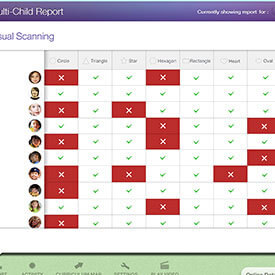
Do your children love playing apps on a cellphone or tablet? My 6 and 8 year old do, especially during car rides. So I am always on the search for quality, educational apps. One app that they really enjoy playing on is called AgnitusAgnitus is a Tablet (iPad, Android, Kindle) app that has over 50 educational games geared towards children ages 2-8 years old. The app features a comprehensive curriculum so there is no need to worry about what they are learning. Some of the topics covered include memory skills, colors, basic math, reading, sounding out consonants, spacial relations, etc. One of the really cool things though about this app that makes it different from others is that you can get reports about your child's progress so you will know exactly what they are learning and completing. You can even access the reports directly from the app! You can also select specific skills for your child to focus on!

ourstory

Agnitus is always adding new content to their app as well. Recently they just announced the launch of their Interactive Books!


You can download the app for free from all app stores which provides you with limited game access. However, if you visit the Agnitus website to sign up you can get a FREE 30 day trial!!!!! If your children love Agnitus a subscription is just $6.99 a month and you can cancel at anytime.

Agnitus currently has a giveaway for an iPad and (3) 3 year subscriptions on their Facebook page right now, so be sure to enter that as well.


"This post was created in partnership with eAccountable. All opinions are my own."

Thursday, March 13, 2014

Type Faster In Five Steps - PLUS A Limited Time Deal on Ultimate Typing Software

*This post contains affiliate links. Please see my Disclosure Page for details.


It is no secret that we live in a technology filled world. Many of our jobs and daily tasks utilize technology, so it is very important for children and adults to know how to type correctly and quickly. Did you know that having fast typing skills can actually make you a better candidate for almost any job? Well that is where Ultimate Typing can help!

eReflect is offering my readers an amazing limited time deal. Right now for ONLY $29.95 you will get Ultimate Typing ($29.95 value) PLUS Ultimate Spelling ($29.95 value)!!! That means you are getting Ultimate Spelling for FREE!!! This limited time offer expires March 31st!

For more details on what Ultimate Typing can offer you and your children read here.

  • Ultimate Typing is the only modern and easy-to-use typing tutor software. 
  • Ultimate Typing is the only program to combine advanced software and video — it’s just like being in a room with the world’s best typing instructor. 
  • Ultimate Typing is the only program that was designed by REAL touch typing experts… who take you by the hand and help you at every step of the way.

eReflect has also provide me with a great article called, "Type Faster In Five Steps." Be sure to check it out below!

Type Faster in Five Steps

Ever feel jealous because of how smoothly and effortlessly some students type? Each stroke more accurate and smooth than the one before, no pauses to look down at the keyboard, a typo­ free document at the end ­ it makes you wonder how many hours it took them to learn how to type so well.

In fact, touch typing is an easily acquirable skill. You can learn the basics in no more than five steps, and be on your way to becoming a competent typist yourself.

1. It’s all about technique. Yes, you need to type accurately and also extremely quickly, but unless you know how to correctly place your hands, how to sit at your desk, and what key is attributed to which finger, you won’t be able to see much of a difference. Ergonomics and the theoretical knowledge of touch typing are a prerequisite to touch typing practice, before you even set a finger on the keyboard!

2. Fortunately, touch typing is fun. Unlike other skills that will bore you to death, touch typing is addictive. Well, not really, but it never seems to get boring, which is a good thing. Touch typing is about achieving robust muscle memory so that your fingers will effortlessly and unconsciously type the correct letter combinations. The good news is that there’s plenty of material to practice with, which provides an extra advantage: you'll improve your typing speed and accuracy, while getting to learn new things you wouldn’t otherwise bother to. Win­win!

3. Don’t be discouraged by typos. In fact, see your typos as a helpful indication that points your weaknesses. Typos will show you what fingers are hitting the wrong keys and which hand is less accurate than the other. Use the feedback typos provide to improve upon your weaknesses, and you’re one step closer to being a better typist.

4. Invest in typing software. There are plenty of online typing lessons you can use to improve your touch typing. If you’re really serious about achieving an impressive personal record of words per minute, it’s probably a good idea to invest in yourself and buy a typing program like Ultimate Typing. Ultimate Typing 2014 is a thorough typing program, designed to produce consistent results. With lessons ranging from beginner to advanced, speed and accuracy are sure to be obtained.

5. Type with your hands, not your eyes. Your muscle memory is stronger and faster than your eyes. Don’t rely on your eyes to tell you where a key is. Instead, try to avoid looking at your keyboard – after you’ve learned the correct finger placements, of course — and see how much faster your typing becomes. It might bit a bit daunting at first to not look at your keyboard for clues, but the more you practice the better you will get as your motor skills become finely tuned. There are plenty of online typing tests and games that will keep you motivated towards improving your typing skills. Remember that repetition and regular practice will get you there faster!

Chassie Lee is the Content Expert for eReflect – creator of Ultimate Typing which is currently being used by tens of thousands of happy customers in over 110 countries.


Sunday, February 16, 2014

MaKey MaKey Invention Kit Review - The World Is At Your Control

*This post contains affiliate links. Please see my Disclosure Page for details.


MaKey MaKey is an invention kit for the 21st century created by Jay Silver and Eric Rosenbaum. These two creative masterminds have been working with invention kits for the last decade. The MaKey MaKey kits is based on research at MIT Media Lab and the circuit was designed in collaboration with Sparkfun. The original funding for the project was Kickstarted! MaKey MaKey turns everyday objects into touchpads and combines them with the internet!

"Warning! User may start to believe they can change the way the world works. Extended usage may result in creative independence," from the MaKey MaKey box.

A moms review:
We are a family of geeks and always interested in learning about the latest technology and the next amazing gadget. (Yes we spend too many hours watching CNET and TED TV). We especially enjoy educational technology and gadgets that can help our children learn and grow. So in December my two TED TV addicted children watched a video about MaKey MaKey and fell in love. They said, "mom we need one of those for homeschool, we could learn so much." So I contacted MaKey MaKey and they were generous enough to allow us to review this amazing, one of a kind invention kit. This kit is NOT just for children though it is tons of fun for adults too! It is for beginners and experts!


Makey Makey is really one of a kind. I have never come across anything like it before. It is simple to use and encourages children and adults to be creative and think outside the box. We literally spent hours playing with it the first day. The children had tons of fun trying to find items to turn into controllers. They used play-doh, tin foil, food, pencil on paper, leaves, each other, pennies and more! Even I learned a thing or two about conductors! MaKey MaKay inspires children to explore, invent and problem solve. And MaKey MaKey incorporates important skills in math, science, technology, art, music and more.

What Does The Kit Come With:
-MaKey MaKey Keyboard
-7 Alligator Clips
-6 White Wires
-USB Cable
-Instructions and helpful tips
-Stickers

(no special software is required)

How It Works:
Makey Makey is so simple to use that even a 6 and 8 year old can do it. You simply plug the MaKey MaKey into your computer with the USB Cable. Connect yourself to earth with an alligator clip (we made tinfoil bracelets so the kids didn't have to always hold onto the clip). Next connect the remaining alligator clips to anything and everything that is conductive and have fun! It was so much fun to experiment and play!

MaKey MaKey easily works with any program that utilizes a keyboard or mouse. In the video below my son made a Lego MiniFig remote with some cardboard, MiniFigs and tinfoil. Then he played some of his favorite games on Lego.com.

MaKey MaKey provides a great list of software on their website to get you started.

Check out this video of some of the amazing things the children came up with:


Gwyn's (age 8) review:
I love the invention kit. It was lots of fun to make music and play games with food, nature, art and other stuff. I love exploring and learning about science. Every kid should have a Makey Makey kit.

Links to follow:
-MaKey MaKey Website
-MaKey MaKey Facebook 
-MaKey MaKey Twitter

Where to buy:
You can purchase MaKey MaKey directly off of their website for $49.95. You can also pick up your MaKey MaKey kit on Amazon.

Monday, November 26, 2012

Top 10 Educational Wii Games

Top Ten Tuesday at Many Little Blessings

Christmas is officially 28 days away! Wow where has 2012 gone? Nintendo Wii seems to be a HOT gift item yet again. Did you know though that the Wii has many educational games that you can utilize in your homeschool?


1) Jump Start: Escape Adventure Island - a fun and educational game to help kids with reading and math skills.

2) Sesame Street: Cookie's Counting Carnival - this is a great game for younger kids under 7. Kids will work on math skills that include number identification, counting, shapes and pattern recognition.
3) Ultimate I Spy - one of our family favorites. This is a great brain booster game. In I Spy you seek and find various objects and solve riddles.
4) Reader Rabbit - this is a fabulous game for encouraging and building reading skills.
5) Smarty Pants - a fun trivia game for the entire family,
6) Sesame Street: and Elmo's A to Zoo Adventure - learn letters with Elmo. This game teaches a variety of literacy skills, including letter identification, letter sounds and word families.
7) Wii Resort - get in some Homeschool PE with Wii Resort. Yes your kids will get up and moving with these fun interactive games.
8) Create - a fun puzzle solving game that lets your imagination run wild.
9) Oregon Trail - this was one of my favorite games as a kid...except it wasn't nearly this cool. Travel and learn about the Oregon trail through some fun game playing.
10) My Word Coach - help improve your childs verbal communication and vocabulary in a fun way. There are six different exercises to choose between.

Many of these items are marked down for Cyber Monday so if you plan to buy a Wii or already have one make sure you snag some fun and educational games at these great prices!

Be sure to browse through all of our other Top 10 Posts!

Thanks for stopping by and have fun exploring nature!

*Disclaimer - Many of the links found on my side bars and in my blog posts are affiliate links. Please note that prices indicated in the post are subject to change. As a result, I might get paid money and I will most likely spend the money on homeschool supplies.

Linking up with: Educating Laytons, Top Ten Tuesday

Monday, May 14, 2012

An Awesome App - Available For Android, iPhone, Kindle, Windows Mobile


A couple of days ago I snagged the FREE app of the day from Amazon called iRewardChart. I would like to note that I am not receiving anything from this review, I just really LOVE it and want to share about it with you.

This app is a must have especially for homeschooling parents. If your family is anything like ours you have sticker, star, check mark reward/chore charts all over the house. And if this sounds like your family then you probably also forget to give rewards throughout the busy day. Then your're going to love this app.

This simple to use, fully customizable app has been such a time saver. And its great for parents that are on the go. With this app you can help your children understand consequences, incentives, patience, and the value of setting goals and working to achieve them.

1) After you download and install the app you will need to get it set up by creating your children's accounts. You can create multiple accounts and even customize them with an avatar.

2) Next set up each child's individual tasks. There are many preset ones to choose from but you can also add your own. You can also set how many stars they receive for each task. You can set tasks for virtually everything: behavior, virtues, responsibility, chores, extra curricular activities, etc. We have been using the We Choose Virtues curriculum, which has a sticker chart that I forget to put stickers on. So I added the virtues into the other category and track them on the app throughout the day. Later when I remember I add the stickers to their chart.

3) There is one item to set up before you can start using the app and that is choosing what rewards the children can "payout" for. Again there are preset rewards or you can choose your own as well as how many stars they need for each reward  (e.g., "20 stars = $2 Pocket Money" or "15 stars = One Hour of TV").

4) Now put it into action. When you see your children meeting one of their goals simply tap on their name and the corresponding star. If you think they deserve more than one star just tap it multiple times.

5) If your a social media addict like me you can also connect your Facebook and/or Twitter accounts and share your children's progress with friends and family.

iRewardChart Recognition:
While the iReward App has been busy implementing an effective reward system, it's gotten quite a bit of recognitions itself!

• Recipient of "Best Parenting App" award two years in a row (2010, 2011) via BestAppEver.com
• Featured on NBC Today Show, CNET's top5, AOL's (ParentDish) top10 parenting app, CNN-Money
• Featured under Apple iTunes AppStore "Busy Parents" essentials

Links to follow:
-Facebook
-Twitter
-Website

Where to buy:
If you're an Andorid user order it right here on Amazon, its now $3.99 but believe me it's worth buying. Other platforms visit the iReward website.

Now time for the giveaway: 
IReward has graciously offered to give away two apps for iPhone (sorry Android users apparently iPhone makes it easier to create giveaway codes). Only the first entry is mandatory. Other entries are optional and give you extra chances. This giveaway is not affiliated with Facebook in any way. The winners will be posted on the blog and will be emailed. Winners must reply within 48 hrs with their contact information or another winner will be chosen. The winners will receive their app codes via email. 

Please wait a moment for Rafflecopter to load.....
a Rafflecopter giveaway

*Disclaimer - IReward has graciously offered to giveaway two iPhone Apps. I was not compensated for my review and all opinions are our own! Many of the links found on my side bars and in my blog posts are affiliate links. As a result, I might get paid money and I will most likely spend the money on homeschool supplies.


Tuesday, April 10, 2012

Curriculum for 2012-2013

Well its time to start planning for the 2012-2013 school year. We are technically almost finished with our 2011-2012 school year according to the state law of 180 days. But our learning is not going to stop the plan is to continue to homeschool throughout the summer. We won't be doing homeschool stuff everyday since I will need some time to finish a few projects, scrapbook, clean up internet bookmarks, computer files and get worksheets/lapbooks/unit studies printed. I have slowly been planning out some unit study ideas and finding some FREE curriculum online.

So far here is some of the stuff we have planned and some of the resources we will be utilizing.

Unit Study Ideas:
  • Butterfly's
  • Puppet History
  • Mythology
  • Dinosaurs
  • Astronomy
  • Trains

Technology We Are Using:

Android Tablet - Here are some great FREE apps (prices change from time to time so they may no longer all be FREE):

Kindle Reader on Android Tablet/Phone and PC
- Check out these great websites where you can get lots of links to FREE Kindle books (again prices change from time to time so they may no longer all be FREE), some of these website offer great pdf books which you can use on your Kindle device:

Wii
-Yes we have several educational games for our Wii (obviously these are not FREE, but you can check Ebay and Amazon who run great deals often on Wii games):

Computer
- I LOVE our computers and our internet access. The FREE resources are endless. I consider Google to be one of my best friends when it comes to finding homeschool materials. Make sure you read my FreeBEE Friday posts each week. And utilize your bookmarks, Pinterest and this nifty program called Xmarks. Xmarks is a FREE bookmark cloud program. Install Xmarks on each computer you use, and it will seamlessly integrate with your web browser and keeps your bookmarks safely backed up and in sync. Also make sure you like all your favorite homeschool companies, blogs, etc on Facebook. Many of them share great resources which are FREE most of the time. If you don't already like my Facebook Page make sure you do it right now. I share lots of great FreeBEEs on there everyday. I am also trying to reach 350 likes, when I do I will be giving one lucky reader 2 books, view the first post on my timeline for more details.  

Roku - I love our Roku Box. It is great for streaming educational shows (we no longer have cable). Here are some channels we enjoy:
  • Khan Academy
  • Kidlet
  • Ameba
  • Iggy. TV
  • The Bazillions
  • Kid Paint
  • TED TV
  • NASA - There are actually a few NASA channels
  • PBS
  • Ocean Network
  • iTunes Podcasts

Curriculum Resources:
Here are several of the programs we will definitely be utilizing next year (not all are FREE):
  • Reading Eggs - Both of my kids love this program. You can read our full review here
  • Science curriculum for FREE - We discovered Arvind Gupta on a TED TV episode we were watching on our Roku. All of the stuff books, videos etc are FREE. There are some really great science experiments. Here is his website and his YouTube channel. I also really love The Happy Scientist stuff, the majority of his stuff is FREE as well. 
  • Currclick - One of my favorite resources. There is loads of FREE stuff on Currclick. Both of my kids really enjoy the Live Classes. A few of our favorite Live Classes are: Founders Academy (very reasonably priced), American Girl Club (FREE) and  Language Club (FREE). 
  • We Choose Virtues - This is a wonderful virtue/character program. You can read our full review here.
  • Unit Studies By Amanda Bennett - These are great unit studies. They are not FREE but they are very reasonably priced. Generally you can get them on sale for around $3-$5. If you want to snag a few for FREE be sure to hang around the Unit Studies Facebook Page on Tuesday and you may get lucky. 
  • YouTube, Ustream, Discovery Education - these are all great resources for watching FREE videos. Discovery Education is FREE to GA homeschoolers (not sure about other states), details can be found here
We will also still be utilizing our amazing library every week which is FREE (unless you rack up late fees).

Thanks for stopping by. This is just the beginning of our 2012-2013 planning more details will be coming later this summer. 

 
Designed By: Wacky Jacqui's Designs