












Showing posts with label Android. Show all posts

Wednesday, April 15, 2015

Top 5 FREE Apps To Manage Busy, On The Go Families

*This post may contain affiliate links. Please see my Disclosure Page for details. This was was sponsored by Life360.


Are you an on the go, super busy family? If you answered yes then here are 5 apps you NEED to download. These are all apps that I have personally utilized at one point or another for our family.

Top 5 Apps To Manage Busy, On the Go Families:

  1. Life360 - this app is available for iOSAndroid and Windows. Have you arrived safely? Can you pick the kids up? Can you pick up eggs and milk at the grocery store? The Life360 app builds a utility-focused network for the family that is centered on location sharing and making it easier for families to communicate and stay connected despite how busy they become. But that's not all you can also send messages and share lists (like grocery or shopping lists). Life360 makes communicating destination arrivals and departures super easy. With just a tap of the "notification" button you can let someone know that you have arrived somewhere. They instantly receive an alert stating that you have checked in and also receive the address. If you currently get charged for text messages then you will love the fact that you can send and receive messages and lists with Life360 for FREE.  READ my full review here.


  2. Cozi Calendar - this app is available for iOS, Android and Windows...it also works on a PC. Cozi is a free online organizer that helps families manage crazy calendars, organize household chores, share memories and more —all in one place. My favorite part about the app is that you can sync calendars from places like Meetup.com and Facebook too.
  3. Trip It - this app is available for iOS and Android - TripIt makes planning a trip itinerary a breeze. You can easily organize all of your travel details including plane tickets, car rentals, train schedules, hotel reservations, activities and more. TripIt "automatically" creates a single itinerary from all your trip details. And if you have Life360 downloaded to your phone and your family's phones you can easily let everyone know you have arrived at each of your destinations safely. 
  4. InstantPlaydates - this app is available for iOS and Android (BETA) - Who’s free to go to the park right now or meet at the museum on Saturday? InstantPlaydates lets you easily schedule playdates with your Facebook friends. When you’re heading to the park, you  broadcast your availability and how long you’ll be there. Or, you can check to see who’s currently available.
  5. iReward - this app is available for iOS, Android and Windows. iReward is a great app that brings the traditional reward chart onto mobile device, with a customizable, interactive interface. iRewardChart helps busy parents keep track of their child’s good behavior and chores and reward them appropriately. READ my full review here
What are your favorite apps to help manage busy, on the go family life?

* All apps have FREE and paid versions. Paid versions offer more features and are ad free. 


Saturday, May 17, 2014

Phonics and Reading With McGruffy Android App Review

*This post may contain affiliate links. Please see my Disclosure Page for details.Disclosure: I got this product as part of an advertorial.


LiteracySoft apps are built from the source material of the most successful education textbook of all time, McGruffy Eclectic Primer. This successful program has taught tens of millions of students the joy of reading since 1836. There are currently 4 apps to help your children become confident, independent readers and spellers.

A moms review:
We are on the go a lot!!! So I am always looking for portable educational products that the children can utilize during car rides. And of course tablets, smart phones, etc fit into that category, if they are loaded with educational apps. But finding quality, educational apps is not always that easy. About once a week I search the Android app stores for new educational apps for the children's smart phone (it's one of my old phones that is no longer connected to a network).

Recently Literacy Soft contacted me and told me about their new Phonics and Reading With McGruffey App. I was really excited because both of my children (ages 6 and 8) are really interested in learning to read right now and many of the reading apps we have tried have not been that great.

After a few clicks the app was installed and ready to use. When you log in for the first time you will be prompted to create your child's account (there are 10 account spots). The first time a child logs in they will be given simple instructions on how to navigate the lessons. There are 4 simple navigation buttons in each lesson: repeat, menu previous part and next part.

The app is multi-sensory so it's great for all learning styles. It is recommended for beginning readers and helps children reach a first grade reading level - guaranteed. It is perfect for homeschoolers, adult learners, dyslexic readers, public school children and ESL students. All of the instructions are audible and step by step so children can easily work at their own pace by slowing down or repeating material as much as they need to. Very little to no parent supervision is required.


There are a total of 52 lessons and the app includes all 44 letter sounds of English and their graphemes, 60+ letter sound animations, 400+ practice word vocabulary and 9000+ nonsense word audio dictionary,

Each lesson contains 9 parts:

-Letter Sounds
-New Words
-Phonics Flash Cards
-Phonics Blender
-Lesson Illustration
-Reading Practice
-Quiz
-Spelling Practice
-Sight Word Drilling

Every 5th lesson there is a review with reading practice and sight word drilling. Around lesson 37 only 6 parts will start to be used (letter sounds, phonic flash cards and quizzes are removed).

Each of the activities is fun and almost game like so children don't even realize they are learning. There are bright colors, fun sounds and cute animations. Progress is saved every time a child logs out so there is no need to worry about trying to figure out where they left off.


There are several sections for parents like user settings where you can change various things like lessons arrows, sound effects, letter colors etc. There is also a table of contents which allows you to easily skip to another lesson as well as view exactly what is covered in each lesson. You child's progress can be viewed by clicking the gear at the top right corner on the main menu. You can view the current part/lesson they are on and when you click on their name you can view their grades. If you need additional help/support that can easily be accessed from the app as well.

This is an app that the children play with over and over again simply because they want to so it gets 5 stars in my book!

Gwyns review (age 8):
I think the app is great. It is fun and I learn a lot. I am really good at the speed drill. 

Rowyns review (age 6):
I think the app is nice and I like it. The games are fun. I really like the train game.

Where to buy:
Phonics and Reading With McGruffey App as well as the other apps can be purchased directly from the LiteracySoft website or by vising the app stores.

Cover art


Get Phonics and Reading With McGuffey from the Apple App Store. Try the free lite version on iOS and iPad. Currently $19.99.
Get Phonics and Reading With McGuffey for Android on Google Play or Amazon. Try the free lite version on Android. Currently $9.99.  
You can try Phonics and Reading With McGuffey on PC risk free for an unlimited time. The first 10 lessons are free and if you like the program, register it to unlock the complete collection of lessons. Currently $19.99.

I received one or more of the products mentioned above for free using Tomoson.com. Regardless, I only recommend products or services I use personally and believe will be good for my readers.

Tuesday, April 8, 2014

10 Fabulous Fieldtrip Apps

*This post contains affiliate links. Please see my Disclosure Page for details.

Image from FreeDigitalPhotos.net
Today I want to share with you my 10 favorite fieldtrip apps. The links will take you to the Android Apps, however I am sure many of them are also available for iPhone too.

"Never stop exploring!"

1) Field Trip - This is #1 for a reason because it's one of my most favorite fieldtrip apps. Field Trip is your guide to the cool, hidden, and unique things in the world around you. It runs in the background on your phone and when you get close to something interesting, it pops up a card with details about the location. No click is required. If you have a headset or bluetooth connected, it will even read the info to you. Field Trip can help you learn about everything from local history to the latest and best places to shop, eat, and have fun. You select the local feeds you like.


2) Sky Viewer - This the perfect app for night time fieldtrips. This app helps you to explore the far reaches of the universe. The app uses Google Maps to provide an exciting way to browse and explore the universe. Astronomers at some of the largest observatories in the world teamed up to make this app one of the best ones available. You can find positions of the planets and constellations in the sky and even watching the birth of distant galaxies as seen by the Hubble Space Telescope.

3) C:Geo - This is probably my most used fieldtrip app. C:geo is an open source, full-featured, always ready-to-go client for geocaching.com (unofficial) and offers basic support for other geocaching platforms (like Opencaching). It does not require a web browser or exports. With the app you view caches on a live map, search for caches by various criteria, log your finds, store cache information, navigate using compass, map or other apps and more!


4) Audubon Field Guides ($3.99 each) - There are 7 amazing Audubon field guide apps from NatureShare (Birds, Wildflowers, Insects, Mammals, Mushrooms, Butterflies, Trees). These are a must for outdoor explorers. The apps will help you identify North American wildlife and nature with just a few simple clicks. There are quality photos, songs and calls, range maps, descriptions, and more. They are great for seasoned and amateur explorers, Audubon Guides for Android places nature at your fingertips--no bulky books. You can even record your sightings!

5) Pocket Ranger (State Parks and Historic Sites Guide) - Outdoor enthusiasts can now experience nature like never before with this official mobile guide powered by Pocket Ranger® technology. This all-inclusive app offers an environmentally friendly way to explore, hike or enjoy a bike ride. Users can decide which park or historic site to visit using a comprehensive list of activities or search for nearby locations within a particular region. Advanced GPS and GIS Mapping technology invites users to track trails, mark waypoints, and locate landmarks in the great outdoors, while interactive features guide users and keep them informed.


6) MomMapsLooking for a great play date place? Need to find some indoor fun on a rainy day or somewhere to get the wiggles out when you're on the road? Mom Maps lets you tap the collective wisdom of parents everywhere to find kid-friendly fun when you need it. Search our extensive list of parks, playgrounds, restaurants, museums and indoor play areas, as well as reviews by parents, for parents. We also partner with top parent bloggers and family travel experts to bring you their top kid-friendly picks.

7) City Maps 2GO ($1.99) City Maps 2Go is the #1 App for smart travelers. Maps and content can be viewed any time, even when off-line. No network or WiFi required. The solution when suffering from bad network coverage, slow connection, limited data volume, or high data roaming cost abroad. There are 6,700 maps worldwide. App features include detailed maps, POI searches, Wikipedia articles, hotel information, and more.

8) World Explorer - With this app it will be just like holding a travel guide in your hands. World Explorer shows you the best places to visit wherever you are. Discover restaurants, neighborhoods, monuments, and museums with over 350,000 articles. Select articles on Wikipedia with pictures and detailed explanations or on a map. World Explorer covers most countries such as U.S., U.K., France, Germany, and Italy. It has world cities as well like New York, London, Paris, Berlin, and Rome.


9) All Trails Hiking and Biking - The outdoors are at your fingertips with this terrific app. Going on a trip to a national park? Looking for a place near home to hike or run? Looking for something new to do on the weekends? Even in a big city you might be surprised by how much nature surrounds you. Browse through over 40,000 high-quality trail guides for outdoor activities including everything from hiking, mountain biking, and trail running to fly fishing and snowshoeing. With this app you can browse trails or search trails closest to you, read and write reviews, view topo maps and routes, and even share trails with friends.

10) When you visit a city, museum or attraction check to see if they offer an app. Many now offer audio guides, interactive tours, maps, etc. in app form. For example in GA there is a Fernbank App, ArClix HIGH Museum of Art App, Heritage Civil War Tour App, HIGH Museum of Art Audio Tours by Acoustiguide, GA Aquarium App, LEGOLAND App, Roswell Mills Village Tour App.

Wednesday, September 11, 2013

KiteReaders Tablet Accessories Giveaway and Freebie

*This post contains affiliate links. Please see my Disclosure Page for details.

REAL tablet accessories giveaway image

Hosted By: KiteReaders
Co-Hosted By: Kathys Cluttered Mind
Sponsored By: KiteReaders

Have you heard about KiteReaders? As a homeschool mom I am always on the search for awesome educational resources and KiteReaders definitely fits the bill.  KiteReaders is a multi-award winning digital publisher of children’s books. They have over 100 titles and 30 best sellers across Amazon, Barnes & Noble, and iBooks! KiteReaders aims to provide quality content for children and their families and increase literacy around the world. For the last couple days my kids have had lots of fun playing with the KiteReaders eBooks and Book Apps. There are over 93 awesome resources for Kindle and Android. Visit KiteReaders at http://kitereaders.com and like them on Facebook too http://facebook.com/kitereaders!

I am thrilled to be co-hosting this fabulous giveaway with KiteReaders. They have an amazing selection of some of the most popular kid-friendly accessories available for your tablets out in the market today! We all know how difficult it can be to maintain a tablet when you have a young child who always wants to use it. Whether you want to protect your tablet with a kid-friendly case, use a handy stylus instead of your fingers to touch the screen, or simply accessorize your tablet with some awesome headphones, KiteReaders has got you covered!

When you enter the giveaway, not only will you have the chance to win one of these highly coveted prizes, but you will also be able to immediately download one of our award winning titles…for FREE! Simply enter the giveaway below and read more to learn all about the 20+ amazing prizes!

Also while your at it grab these two other eBook freebies currently on Amazon for Kindle called The Tale of Flopsy Bunnies and Little Miss Liberty.

a Rafflecopter giveaway

Giveaway Rules:
 US Residents, 18 years and up only. 1 entrant per household. Winners will be picked randomly through the Rafflecopter entry form. Winners will be emailed and will have 48 hours to respond before a new winner is chosen. The giveaway will run from 9/11/13 12am PST-10/6/13 11:59pm PST!

All winning entries are verified. 

Prizes Include: 
Gumdrop Kindle Fire Case (Valued at $49.99): 1 Winner
If you’re looking for the most rugged, durable yet ultimately affordable Kindle Fire protection, you found it in the Drop Tech Series Kindle Fire Case. Shock Absorption, drop protection, extreme ruggedness and hard-core readiness for all adventures, the Drop Tech Series Kindle Fire case specifically conforms to the shape of the Kindle Fire and offers multiple layers of protection. This transformer case features a unique, snap-on integrated screen for maximum protection. (http://www.gumdropcases.com/kindle-fire.html)

iPad Smart Cover (Valued at $39.99): 2 Winners
Snap the Smart Cover into place and it wakes up, stands up, and brightens up your iPad. It magnetically aligns for a perfect fit. It wakes and sleeps your iPad on open and close. It’s a handy stand for reading, watching, and typing. And it’s a way to make your iPad as personal on the outside as it is on the inside. (http://www.apple.com/ipad/accessories/)

iGuy iPad Case (Valued at $39.95): 2 Winners
Say hi to iGuy. He’s fun, free-standing and kid-friendly. Designed to fit all full-size iPads – even the new iPad 4! (http://www.speckproducts.com/iguy-for-ipad.html)

Fisher Price Kindle Fire Kid-Tough Apptivity Case (Valued at $29.99): 2 Winners
With a Kid-Tough rubberized casing and a clear film over the screen to protect against drips and sticky fingers, the next time your child asks to play with your Kindle Fire, you’ll be much more likely to say “sure”! (http://www.fisher-price.com/en_US/brands/kidtough/products/67522)

Griffin Technology Cinema Seat (Valued at $24.99): 2 Winners
CinemaSeat turns your iPad into the perfect in-car entertainment system. CinemaSeat’s wide, adjustable strap routes around your car seat’s headrest to perfectly position your iPad for backseat riders. Without sacrificing access to Multi-Touch display, controls or headphone jack, CinemaSeat lets them watch video, listen to music, play games and more. CinemaSeat gives your riders the best seats in the house. Or car. (http://store.griffintechnology.com/cinemaseat-2-for-ipad)

KaZoo MyPhones (Valued at $19.99): 2 Winners
KaZoo MyPhones have built-in-volume-limiting circuitry that keeps the sound pressure down to levels recommended as safe for young ears. Exposure to excessive levels of sound is more than a nuisance. It’s a health issue, especially for children. KaZoo MyPhones use a built-in, always-on sound-control circuit to cap peak volume levels at 85 decibels. That’s the maximum level recommended by many auditory health organizations in the U.S. and abroad. And, of course, KaZoo are kid-friendly with fun animal designs and durably constructed. (http://store.griffintechnology.com/kazoo-myphones)

Felix TwoHands Stand (Valued at $19.99): 2 Winners
When you want to use your NOOK hands-free, this ingenious accessory is the perfect solution. Made of sturdy molded plastic, it opens with a gentle squeeze and securely grips the edges of your NOOK, while the base rests on a flat surface to form a sturdy stand. The spring mechanism is both strong and flexible, so the Felix will hold your NOOK in either landscape or portrait mode; when closed, it’s only 7″ long, so it will easily slip into a pocket or bag. Add in the sleek, distinctive look – enhanced by a “felix” logo script printed in silver – and this is truly a must-have item for every NOOK owner. (http://www.barnesandnoble.com/p/home-gift-twohands-stand-in-black/25719436)

Crayola Color Studio iMarker (Valued at $15.99): 2 Winners
iMarker is the key to unlock limitless discovery and play on your iPad. It’s a digital marker, crayon, pencil and paint brush that interacts with the Crayola ColorStudio HD app to create all your favorite Crayola colors on the iPad’s Multi-Touch display. As you color, animated characters, music, sound and visual effects bring scenes to life, and surprises await on every page. (http://www.griffintechnology.com/crayola/colorstudiohd)

Marware UpSurge Speaker (Valued at $9.99): 2 Winners
The Marware UpSurge Mini Speaker delivers crisp, distortion-free sound from virtually any media player device. The UpSurge travels with you wherever you go, providing rechargeable, long-lasting audio enhancement in the palm of your hand. Its compact design twists and extends when in use for enhanced bass and sound quality. The UpSurge Mini Speaker is the perfect solution for your portable audio needs, whether you’re watching a movie, listening to music or playing a video game. (http://www.marware.com/upsurge-mini-speaker)

KiteReaders Stylus (Valued at $5.99): All Winners!
The KiteReaders Stylus is the perfect accessory to use on any of your touch devices! With a pen on one end and a stylus on the other, this stylus is a great tool to have in your pocket or bag at all times! 

Tuesday, October 9, 2012

Top 10 Favorite Android Photo Apps

Top Ten Tuesday at Many Little Blessings

Last week I shared Top 10 Favorite Educational Shows. This week I am sharing Top 10 Favorite Android Photo Apps.

A few weeks ago my friend Kelli from Adventurez in Child'Rearing shared her favorite photo Apps but sadly they were for iPhone users and I don't have an iPhone so I decided to see what Apps were available for Android so here are my top picks for Android users (most are FREE).

1) My Sketch


2) PicsArt


3) PhotoWonder
4) Photo Grid For PC - Photo Grid is photo editor and a photo and video collage maker for your smartphones as well as your PC. If you follow me on Instagram you may have noticed photo grid is one app I use faithfully. I especially love all the fun background options.  You can create stunning and creative photo collages in a matter of few minutes. And all it takes is a few taps. You get all this completely free, although the app is supported through ads, we didn't mind that for an app that is ahead of its competitors in multiple ways.
5) Pixlr-o-matic


6) Photo Art
7) Color Splash Effect
8) Streamzoo
9) Instagram


10) Pho.to Lab

Thanks for stopping by!

*Disclaimer - Many of the links found on my side bars and in my blog posts are affiliate links. Please note that prices indicated in the post are subject to change. As a result, I might get paid money and I will most likely spend the money on homeschool supplies.

Linking up with:
Top Ten Tuesday

Thursday, July 19, 2012

FreeBEE Fridays - Printable, Electronic and Android App Homeschool Planners

Jen, from Gricefully Homeschoolingand I team up, every Friday, to bring you a list of freebees...on both of our blogs.

PLUS...with the added bonus of this being a weekly link up...where you can showcase your freebies, things you've found online, and also, things you've received in the mail, totally FREE in the last week...or so. 


FreeBEEs:

Homeschool FreeBEE Fridays
If you have homeschool FreeBEEs to share
please link up at the bottom of this post!
You can copy the button from my right side bar.

Internet FreeBEEs:

Are you in the process of getting ready for another year of homeschool? Not sure where to get started? Well this week Jen and I are sharing lots of great FREE planners some are printable and some are electronic. But just remember you DON'T have to spend lots of money on fancy planners. My planning binder combines printables from several resources.


Printables:
-A blogger friend Peacecreek on the Prairie shares homeschool convention planning pages as well as homeschool planning pages.
-Donna Young has lots of great printable homeschool planner pages.
-Five J's has a homeschool grade book and recording keeping spreadsheet for Excel or Open Office.
-About.com homeschool record keeping forms.
-If your a blogger be sure to add these great FREE blog planning sheets from Homeschool Creations to your binder. These have been such a life saver for me already and I just started using them about 2 weeks ago.
-The Homeschool Mom has several great homeschool planning sheets including pages for unit studies and unschooling.
-You asked for planning forms well be sure to check out ALL of the 823 forms at Highland Heritage Forms.
-Circle of Moms 10 FREE organizing and planning sheets - menu plan, chores, school memories and more.
-Homeschool Launch many great printables for all different types of homeschool curriculum and styles.
-If you use Unit Studies by Amanda Bennett make sure you check out the awesome FREE planners she offers.
-List Plan It has several trial pages you can download for FREE. The rest of her eplanners do cost a small fee ($5 right now) but I can personally tell you that they are worth it, I use several of her items in my binder.
-Money Saving Mom has a great customizable planning pages.
-New Beginnings has 180 pages that are undated and can be used year after year.

Electronic:
-Sked Track is a homeschool electronic planner - you can do all sorts of awesome things in this program.
-Homeschool Tracker is a homeschool electronic planner there is a FREE version and a paid version.
-Home School Inc offers a FREE web based homeschool planner.
-Need help planning field trips? Check out this homeschool field trip map on Homeschool Buyers Co-Op.

Android Apps:
-Cozi Family Planner can be a great help for planning appointments, field trips, etc.
-School Timetable Deluxe this could easily be applied to homeschool life too.
-Quick Time Table another program that could easy be applied to homeschool life.

FreeBEE events:

Not free but Only $1. Head to Regal Theaters to catch a movie Tuesdays and Wednesday at 10 am until August 1st.


Lakeshore Learning has FREE crafts every Saturday from 11 am - 3 pm.


Visit your local Disney Store for Summer Play Days. Starting Monday, July 23rd at 2pm, visit the Disney Store for the kickoff of Summer Play Days! In-store events will occur EVERY DAY from July 23rd – August 26th. Attend 4 events and receive a special gift! 
Minimum age for participation is 3 years old. Call your local store for further details.


Sign up FreeBEEs, items I will be reviewing soon and items I won:


Image(s): FreeDigitalPhotos.net

Nothing again to share this week. Its been a slow couple of weeks the mailbox.

If you don't enter blogger giveaways or do Twitter and/or Facebook parties you need to because you can win cool stuff. Also it pays to follow companies on Facebook you score lots of FREE stuff.

I hope you find these resources useful. If you ever have any questions feel free to leave me a comment or email me. Also be sure to follow my FB page where I post FreeBEEs daily.


Remember when it comes to FREE resources the internet and a good search engine are your best friend.

*Disclaimer - Many of the links found on my side bars and in my blog posts are affiliate links. As a result, I might get paid money and I will most likely spend the money on homeschool supplies. Please note that prices indicated in the post are subject to change. 


Linking up with 3 Boys and a Dog

Thursday, June 21, 2012

FreeBEE Friday - Over 45 Android Apps (Yup NO iPhone Apps here)

Jen, from Gricefully Homeschoolingand I team up, every Friday, to bring you a list of freebees...on both of our blogs.

PLUS...with the added bonus of this being a weekly link up...where you can showcase your freebies, things you've found online, and also, things you've received in the mail, totally FREE in the last week...or so. 


FreeBEEs:

Homeschool FreeBEE Fridays
If you have homeschool FreeBEEs to share
please link up at the bottom of this post!
You can copy the button from my right side bar.

Internet FreeBEEs:

A few months ago I won a Kindle Touch on a Twitter party. And as awesome as it was to win a Kindle we actually decided to sell it and got the kids an Android Tablet. Unless you pay the extra money for a Kindle Fire the Kindle Touch is limited on what you can do with it, basically it is just an ereader. We wanted the kids to be able to access the internet, watch videos, have more app options, a color screen and a capacitive touch screen. So we got an inexpensive Android Tablet. My husband and I also have Android phones. Can you tell I prefer Android devices.

Well this week I am sharing several FREE Android Apps we LOVE! When we are on the road or at home and bored the kids love playing the educational games on the tablet or phone.

Please note: At the time of this post all of the Apps below were free, but they because the price can change please make sure you verify they are still free before downloading. The links will take you to Amazon or Google Play.

Kids Educational Apps:


-
iStory Books - Enjoy interactive children's story books with audio suitable for ages 2 to 8.
-Tracing ABC Kids - Tracing ABC supports capital letters, lower-case letters, digits, and several shapes.
-Jumpstart Preschool 1
-Jumpstart Preschool 2 
-Convert PadConvertPad is a simple but the most powerful unit converter.
-Environmental EducatorKeep us in a livable planet. Learn how to and why you should so you will. Keep us in a livable planet.
-US HistoryThis app contains a large amount of Historical information.
-Today in HistoryWidget displaying events which happened on this day from various sources.
-Bible -  The Bible app from YouVersion makes it easy to read and share God's Word.


-
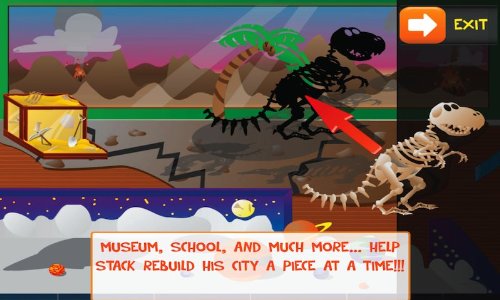
Stack 'N Puzzles - an Educational Puzzling Adventure for Kids.
-Speed Anatomy - Think you know a lot about your body? How fast can you point to your liver, gall bladder, or incisor?
-50 Languages - 50languages.com contains 100 lessons that provide you with a basic vocabulary. This free app has 30 lessons.
-Eggy 100 - Reading Eggs Eggy Words 100 is a FREE application designed to help children recognize and learn sight words.
-WatchKnow Educational Videos - WatchKnow Educational Videos is a companion app to the www.WatchKnow.org website which provides free educational videos for teachers, students, parents, and homeschoolers teaching students in K—12 (USA) or ages 3—18 (international).


-
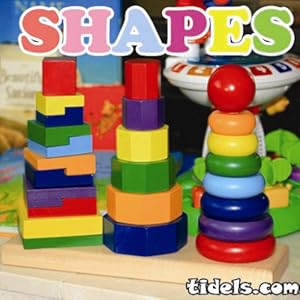
Shapes - The app is designed to help young children learn basic shapes.
-Science Fun To GoScience Fun To Go is an app chock-full of articles, images, videos, and interesting information about a variety of science topics.
-Pre-School and Kindergarten Learning GamesIncludes three free games.
-Periodic TableWith the Periodic Table app, you can learn all about the elements.
-NASA Space and Weather Viewerhis app features near real-time images of outer space from a wide variety of NASA missions, as well as video interviews with prominent scientists about the science of space weather and its effects on Earth.
-Awesome Arithmetic - Do you need help teaching your child basic math skills? Do you want to improve your basic math skills?

-MeMe Tales Children's Stories and Picture Books
MeMeTales is a place to celebrate children’s stories. Get a NEW FREE Book of the Week - a book your child can keep and read all week long!
-Math WizardMath Wizard for Grade K is designed to help young children practice basic number skills.
-Kids Math Tetris - A new fun take on Tetris.
-Kids Doodle - Movie Kids Drawing - The Kids Doodle app is a very entertaining kids painting application for young children to freely doodle.
-Bubble Pop ABC - A Bubble Game. Pop bubbles, have fun, and learn things!
-My Tiny Coloring BirdsColor the birds whether its Angry or not...
-Kids Mode - Lots of educational games.


-ASL Alpha
ASLAlpha is a useful, intuitive Android app that can help you learn the ASL (American Sign Language) finger-spelling alphabet.
-50 States50 States is a great way to learn about each state. Each state chapter features a map, total population, capital, state bird and flower, and the state's largest city and its population.
-123's and ABC's Tracing123s ABCs Handwriting Fun SET1 is a fun way for your child to practice writing letters, numbers, and shapes.
-Alphabet ColoringAlphabet Coloring is a fun way to help kids practice their ABCs.
-Kids ReadingKids Reading is a delightful game that invites your children to practice blending sounds together to form, read and spell words that are all made up of only three letters of the alphabet, such as "dog","sun", and "big".
-LEGO App4+ - not really educational but had to include it because besides Angry Birds its Rowyns favorite game.
-My Sight Words"My Sight Words" helps pre and early readers develop their skills through a fun and kid-friendly interaction with sight words (also known as Dolch words).
-PicsArt for KidsThe best coloring, drawing and learning app for kids (parents will love it too!)

Great Outdoor/Hiking Apps:


-
Bird Field Guide - Contains information for more than 1,200 bird species including scientific classification, diagnostic identification factors, range distribution, habitat, field behavior, and nesting and migratory patterns. 
-Fungitron Mushroom - A mushroom guide.
-Lichen GuideA field guide to some of the common lichens of the Pacific Northwest.
-GA DNR Outdoor Guide - This App would be for the GA readers who love to visit the GA State and National Parks.
-Roger Phillips Mushrooms - Another mushroom guide.


-
Sky MapSky Map turns your Android-powered device into a window on the night sky.
-C:Geo - Geocaching App this is the one we use for our adventures.


And for the Moms:


-The Old Schoolhouse Magazine - The Old Schoolhouse® Magazine App serves up a banquet of interactive information for homeschooler.
-Classical ConversationsThe Classical Conversations app is a one stop app for access to all of Classical Conversations's greatest online content.
-Cozi Family Calendar - This is the calendar I am using and it allows me to link my meetup.com and Google calendars to it putting everything in one spot!
-Home Education Magazine Home Education Magazine has been homeschoolers’ homeschool magazine since 1983.
-Logic PuzzlesDo your powers of deduction rival those of Sherlock Holmes himself? Find out!

Giveaways:
Expedition MomWin a Whitewater Rafting and Zipline Canopy Tour Adventure for 2

FreeBEE events:


Ok ok I lied there is something for the iPhone/iPad/iPod users. Did you know that the Apple store has a FREE 3 day film making workshop for kids ages 8-12? Check it out looks really cool. They are going on in July and August check your state and local store for details.


Lowes Build and Grow Clinic is this week. This weekend kids can build a car from the Madagascar movie.


Sign up FreeBEEs, items I will be reviewing soon and items I won:


Left: Wishes and Rainbows comic book from Federal Reserve you can order a hard copy or view and print the pdf. Right: Free Razor and coupons thanks to Bzz Agent again. I'm telling you sign up its FREE.

If you don't enter blogger giveaways or do Twitter and/or Facebook parties you need to because you can win cool stuff.

I hope you find these resources useful. If you ever have any questions feel free to leave me a comment or email me. Also be sure to follow my FB page where I post FreeBEEs daily.


Remember when it comes to FREE resources the internet and a good search engine are your best friend.

*Disclaimer - Many of the links found on my side bars and in my blog posts are affiliate links. Please note that prices indicated in the post are subject to change. As a result, I might get paid money and I will most likely spend the money on homeschool supplies.


Linking up with 3 Boys and a Dog
 
Designed By: Wacky Jacqui's Designs